For orchestras
Orchestra management software for community orchestras
ScoreOrder keeps your orchestra's roster, parts, seating, and concert program in one place, so rehearsal time goes to the music instead of the logistics.
Built for orchestras
One place for the conductor and players
Announcements, direct messages, and group chats live in one inbox, with push notifications on players' phones. The member portal is where each player finds the rehearsal calendar, their RSVPs, their part assignments and seat, recordings, and what they owe, so nothing gets lost in an email thread.
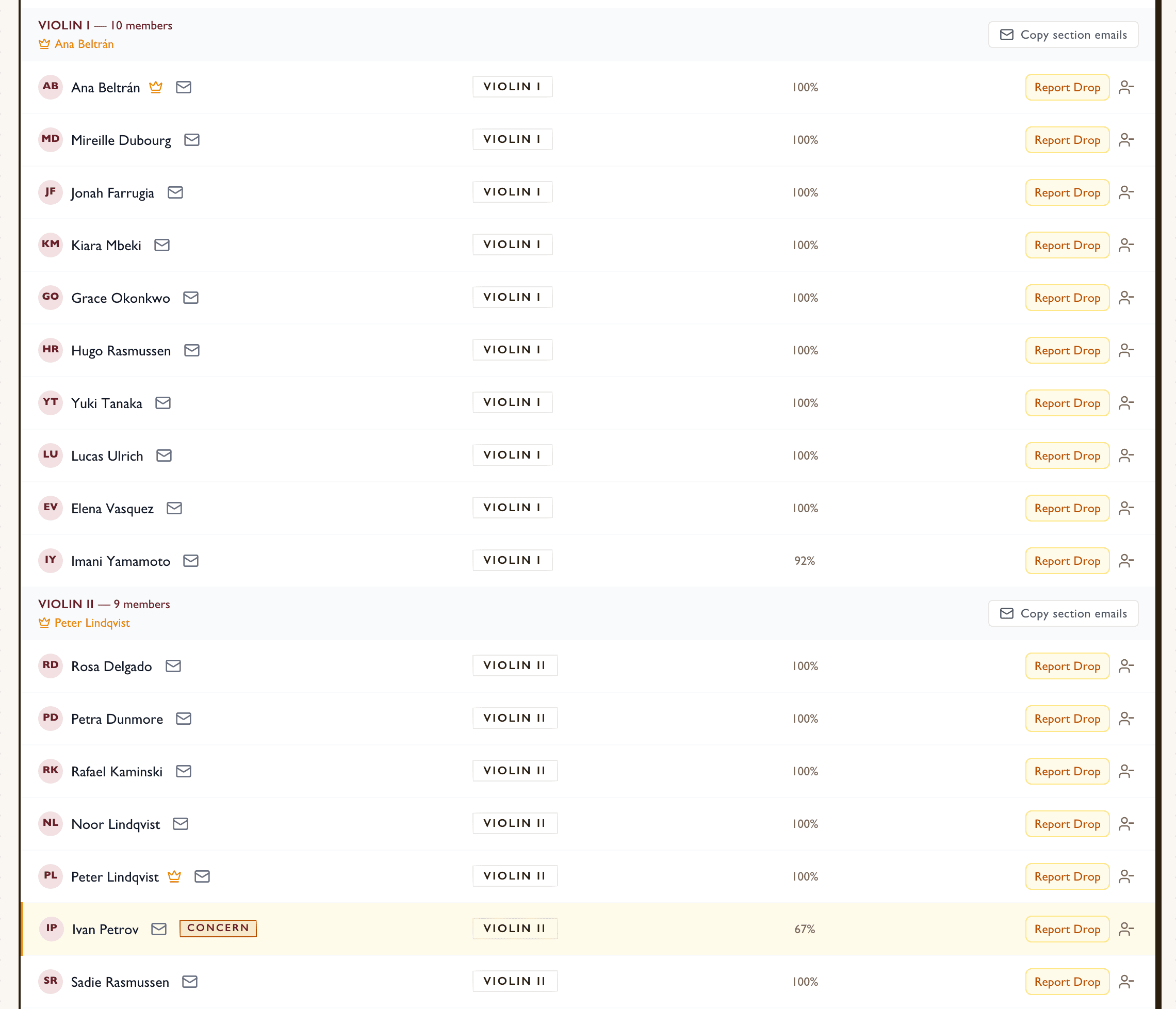
Parts and assignments
Break each piece into its parts, assign every player, and publish to the orchestra. Parts can be filled in from a piece's instrumentation, and anyone doubling outside their section is flagged.
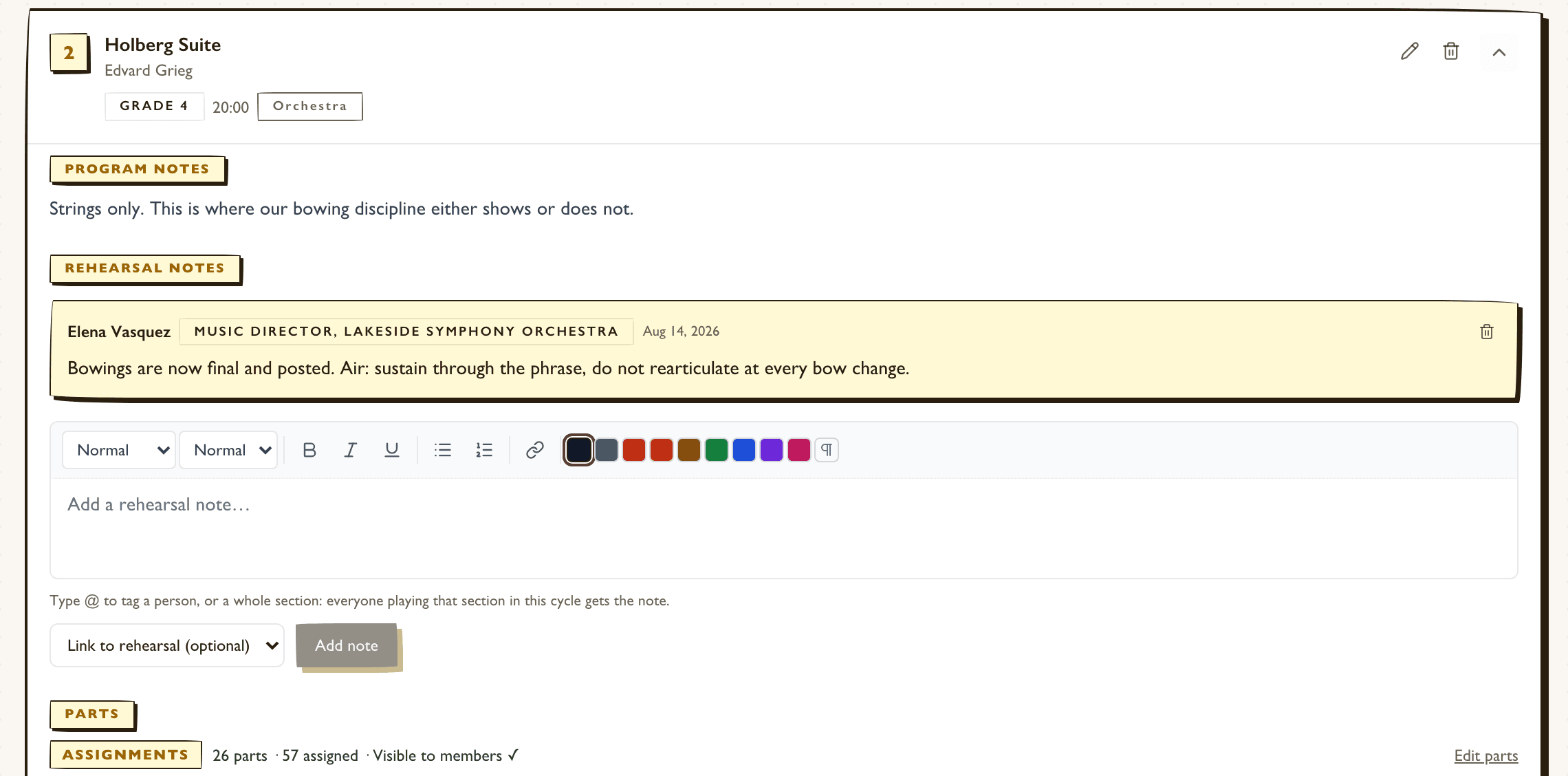
Rehearsal notes to the right desks
Leave notes on a piece and link them to a rehearsal. Tag a whole section, and everyone playing it this cycle gets the note, so bowings reach the second violins without a group email.
Repertoire that knows the classics
Search Open Opus to add a work with its composer and details filled in, and keep grade, duration, program notes, and reference recordings with every piece.
The printed program, movements included
Export the concert program as plain text or a formatted Word document with titles, movements, composer credits, durations, and program notes, alongside the performer roster.
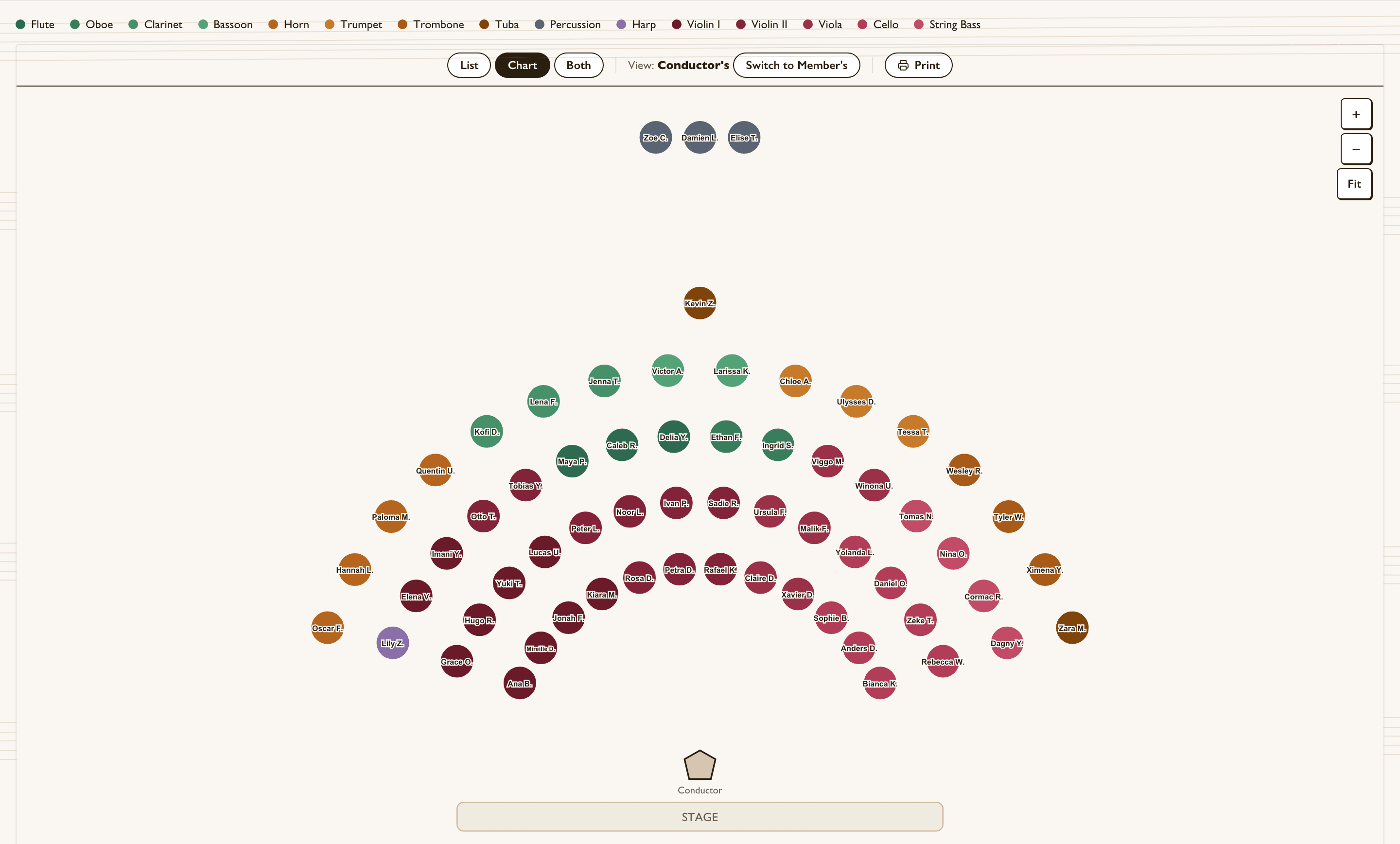
Seating for the whole stage
Lay out the stage in arced rows with section colors, publish it so each player sees their own seat, switch between the conductor's and the players' view, and print a PDF for the stage crew.
Instruments, dues, and concert day
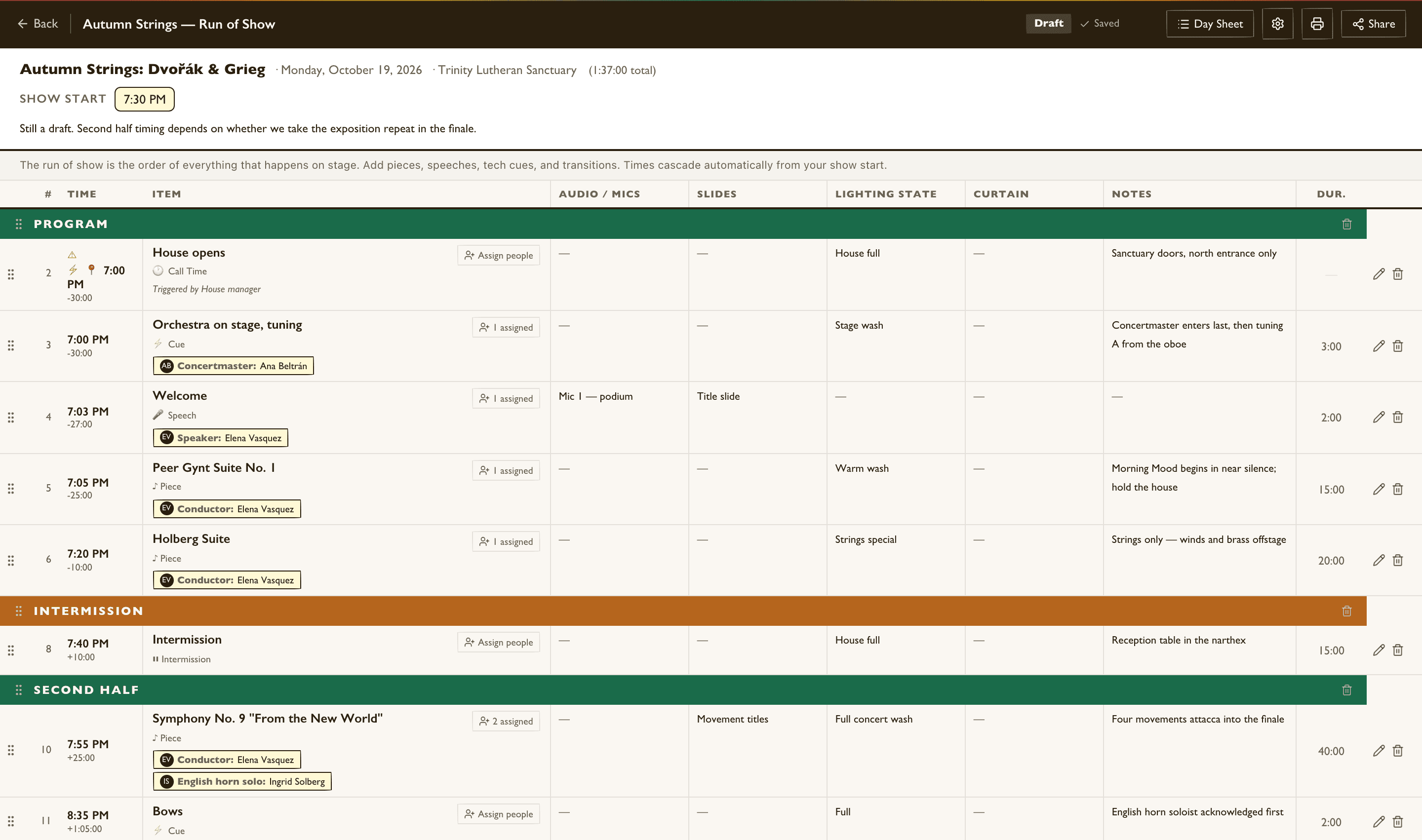
Lend out cellos, basses, and other instruments with return reminders, collect dues online through your own Stripe account, and build the concert's run of show with pieces, soloists, and speeches.
Questions
Can we track divisi and part assignments?
Yes. Each piece can be broken into parts such as Violin I and Violin II or divided parts within a section, and every player is assigned to theirs. Players see their assignments in their portal once you publish.
Can the orchestra share a concert with our chorus or band?
Yes. One performance can be shared across participating cycles, with each ensemble seeing its own pieces and taking its own attendance.
Can players find their music in the app?
Yes. Attach parts, recordings, and links to the concert cycle, and players find them in their portal alongside their part assignments.
Every feature, one price.
Every ScoreOrder feature works for orchestras. Free for 30 days, then one flat price for your whole organization.
Start your free trial